
What are the 20 best data integration tools to use in 2026?
The 20 best data integration tools for 2026 include iPaaS, ETL/ELT, CDC, and Reverse ETL solutions. These tools help connect systems, improve data quality, and speed up reporting and analytics. Rapidi stands out as a flexible, user-friendly platform that simplifies integration and makes data workflows more efficient, making it a top choice for businesses.
Bringing together data from different sources is now a basic necessity for most businesses, rather than a luxury, and is essential for their operations. RAPIDI and other modern data integration tools help you connect systems, so you always have the information you need.
This guide covers what data integration tools do, why they matter, and how to choose the right one for your business.
Summary:
This article lists 20 data integration tools for 2026. It explains what each tool does, its main features, and pricing. If you need to connect business systems, automate data flow, or save time, you’ll find practical options here. Use this guide to compare tools and select the one that best suits your business needs.
What is a Data Integration Tool?
A data integration tool consolidates data from various sources, including CRMs, ERPs, cloud applications, and databases, into a single location. With RAPIDI, you can connect Salesforce, Microsoft Dynamics, and other systems without writing code. This means your data stays up to date and easy to use, whether you work in the cloud, on-premise, or both.
Types of Data Integration Tools
- iPaaS: Cloud platforms (like RAPIDI) that connect applications with prebuilt connectors and templates. Perfect for CRM–ERP integration and quick, low-code wins.
- ETL/ELT: Tools that move data into a warehouse or data lake for analytics. Ideal for reporting at scale and consolidating data from many sources.
- CDC (Change Data Capture): Captures only changed records to reduce load time and API calls, which is helpful for real-time reporting and operational synchronization.
- API-led integration: Uses REST, SOAP, or GraphQL APIs to connect custom or niche systems not covered by standard connectors.
- Reverse ETL: Pushes warehouse data back into operational tools like CRM, marketing, or support systems, closing the analytics-to-action loop.
Does Your Business Need a Data Integration Tool?
Ask yourself:- Are you entering the same data in more than one system?
- Do you waste time fixing data mistakes?
- Is it challenging to get a full view of your customers or business?
If any of these sound familiar, you probably need a data integration tool. RAPIDI is designed for companies of all sizes that want to save time, reduce errors, and get more value from their data.
What are the benefits of data integration software?
- Cut down on manual work
- Make better decisions with complete data
- Reduce errors and improve data quality
- Keep your teams on the same page
- Speed up reporting and analysis
You don’t need a big IT team or a huge budget. RAPIDI’s platform is designed for both growing businesses and larger organizations.
What factors should be considered when choosing a data integration tool?
- Connectivity: Can it connect to the systems you use? RAPIDI offers ready-made connectors for e.g. Salesforce, Microsoft Dynamics, HubSpot, and more.
- Scalability: Can it handle increased data volumes as your business grows and expands?
- Ease of Use: Can your team set it up and manage it without needing to code?
- Data Transformation: Can you clean and shape your data as it moves?
- Security: Does it keep your data safe and meet compliance needs?
Pro-Tip! Select a tool that meets your current needs and can also grow with you.
What Matters Most in a Data Integration Tool
Larger businesses need tools that can manage lots of data, work with many different systems, and keep everything secure.
RAPIDI offers support for both cloud, on-premise, and hybrid setups, strong security, and the flexibility to handle custom integrations. You also get in-house support and disaster recovery as standard.
Key Requirements for Enterprise Data Integration
- Connects with main business platforms
- Handles large data volumes without slowing down
- Easy to monitor and manage
- Meets strict security and compliance needs
Common Enterprise Use Cases
- CRM ↔ ERP (Salesforce, Dynamics 365, HubSpot ↔ Business Central/Finance): Sync accounts, contacts, items, prices, quotes, orders, and invoices.
- Quote-to-Cash: Move product, pricing, discount logic, order status, and invoice data to finance teams.
- eCommerce ↔ ERP: Integrate products, inventory, orders, shipments, and returns.
- Support ↔ CRM/ERP: Centralize ticket status and entitlements.
- Data replication for BI: Utilize CDC to transfer data to Snowflake, Databricks, or BigQuery for creating dashboards for reporting.
iPaaS vs ETL/ELT vs Custom Code
- iPaaS: Fast to deploy, strong connectors, minimal code. Great for operational sync and near real-time flows.
- ETL/ELT: Best for analytics and large data volumes, running jobs in batches or micro-batches.
- Custom code: Maximum control but more costly to build and maintain—use only for edge cases with special logic.
Choosing the right data integration tool doesn’t have to be complicated. With RAPIDI’s no-code iPaaS, you get prebuilt connectors, transparent pricing, and expert support—so you can focus on results, not roadblocks.
What are the 20 best data integration tools?
In this guide, we will be exploring the 20 best data integration tools designed to help companies overcome inefficiencies. When it comes to data integration, it is not just about catching up; it is about staying ahead. Get ready to find a solution that will improve your data strategy and drive your business forward.
#1 Rapidi
Rapidi is a robust iPaaS tool designed to simplify complex data integration, especially between Microsoft Dynamics ERP systems and Salesforce. Our no-code iPaaS for ERP and CRM provides a comprehensive solution to simplify, accelerate, and secure notoriously complex system integrations.
Using a series of pre-configured templates to facilitate integrations, our platform is ideal for companies seeking an efficient and flexible tool without the need for extensive programming.
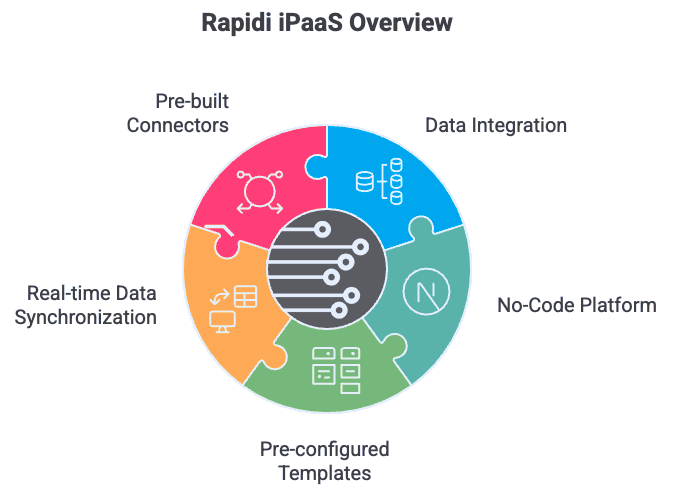
Businesses can easily integrate Rapidi with various systems due to our data integration software’s real-time data synchronization and pre-built connectors. These pre-built connectors are linked with well-known systems, such as Microsoft Dynamics 365 Business Central, Microsoft Dynamics 365 Finance, Dynamics GP, Dynamics AX, Dynamics NAV, HubSpot, Salesforce, NetSuite, and many more.
Our decision to include these connectors enables businesses to set up and run basic integrations between these systems (and others). If your business requires more complex data integration, our platform can extract data from any system using SOAP services, direct database integrations, APIs, and other methods.
"The best thing about Rapidi is that it is very simple - it just works,"
- VariQuest (former Varitronics), Rapidi Client.
Learn how VariQuest used Rapidi to revolutionize their business operations - and how you can, too.
Top Features
- Customizable options for businesses with more complex integration requirements.
- Real-time data synchronization for current, error-free data across systems.
- Pre-built connectors for popular platforms like Microsoft Dynamics 365 Business Central, Microsoft Dynamics 365 Finance, including earlier versions of the Microsoft Dynamics product suite such as Dynamics NAV, Dynamics GP, and Dynamics AX, Oracle NetSuite, HubSpot, and Salesforce
- Supported integration through direct database connections, APIs, Web Services, OData, and SOAP services.
Pros
- Rapidi offers a complete solution with transparent pricing, a monthly subscription, and a fixed implementation fee.
- A user-friendly interface with easy setup, allowing most integrations to be completed in a few days.
- Given its powerful data integration capabilities, pricing starts at €305 per month on the Rapidi pricing page and makes it a cost-effective option.
- Rapidi provides helpful support, enabling users to resolve their issues quickly.
- Support is included in the subscription.
Cons
- There is no free trial available, but you can request a free demo before committing.
Pricing
Rapidi’s basic pricing package starts at €305 per month, and support is included in the subscription, as outlined on the Rapidi pricing page. This offers businesses a cost-effective way to manage their data integration needs with flexibility and quick support.

#2 Pentaho
Using Pentaho feels like having an adaptable toolkit. One of the standout features is its ability to handle complex data integration and analytics tasks without overwhelming the user. The platform is flexible thanks to its open-source Java framework, which means you can customise it extensively with plugins to fit your unique business needs.
In practice, Pentaho’s simplicity makes it surprisingly approachable. Embedding analytics directly into workflows is straightforward, and its capability to process large-scale data ensures it grows alongside your business. Both non-technical and IT users can get value from it, though I noticed the interface could benefit from modernization.
Although the tool is functional, it is not as sleek as some competitors. Additionally, getting everything initially set up might take some time if you are new to the platform. Overall, Pentaho feels like a scalable, reliable option for organizations serious about leveraging and unifying their data.
Top Features
- Automated recurring tasks with scheduled ETL operations.
- Handles expanding data operations, which helps support growth over time.
- Supports integration with various data sources, including cloud and on-premises environments.
- Provides flexibility for organizations to create custom plugins.
Pros
- Simplifies creating and managing workflows with a graphical drag-and-drop design.
- Provides free access to the source code, which increases flexibility while reducing costs.
- Includes tools for data migration, replication, and managing complex data warehousing.
Cons
- A high server load can slow down data integration processes.
- Lacks pre-built connectors for certain SaaS apps.
Pricing
Pentaho provides flexible pricing options, which allow businesses to select the plan that aligns with their integration needs. The data tool also offers a free trial to explore its capabilities. Pentaho is part of Hitachi Vantara. Pricing is quote-based through Hitachi Vantara, and you request pricing from sales.
The paid plans range from $25 per month per user for basic functionality. For large-scale deployments and advanced capabilities, paid plans can cost upwards of $300 per month.
#3 Actian
Actian feels like a versatile data integration solution that adapts seamlessly to diverse business needs. One of its standout strengths is the ability to support various deployment options - cloud, on-premises, multi-cloud, and hybrid environments, making the tool a strong choice for companies with complex infrastructure setups.
From my perspective, its adaptability is a real advantage, especially for businesses handling large-scale or multifaceted operations. Actian is particularly valued for its ability to manage complex data processes while remaining user-friendly. That said, its interface could benefit from modernisation, and occasional performance hiccups have been noted during high-volume operations. Despite these areas for improvement, Actian’s combination of innovation and legacy experience positions it as a reliable tool for organisations of all sizes.
Top Features
- Supports on-premises, multi-cloud, hybrid, and cloud environments for different infrastructure needs.
- Provides no-code options for quicker deployments and ease of use.
- Manages everything from real-time data synchronization to ETL processes.
- Empowers businesses to analyse data across platforms for accurate and actionable insights.
Pros
- Provides budget-friendly scaling with hourly pricing plans.
- Has an established presence in the industry with more than 50 patents.
- Combines modern features with traditional strengths to meet changing data demands.
Cons
- Compared to newer competitors, some of the legacy platform’s underlying technology might feel outdated.
- Detailed pricing plans beyond base hourly rates are not readily available, which makes it harder for organisations to estimate total costs upfront.
Pricing
Actian provides a free trial for businesses to explore the platform’s capabilities. Two paid plans are available. The Enterprise Plan is priced at $2.50 per hour with no-code data integration. The Enterprise+ Plan is priced at $4 an hour and offers private access and support for more complex application needs.
#4 Integrate.io
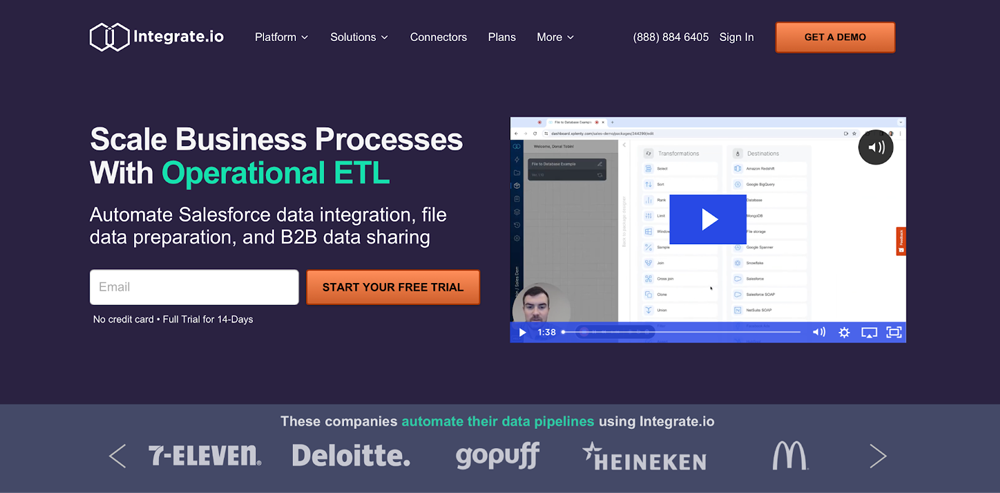
Using Integrate.io means having a streamlined solution for managing cloud-based data integration and analytics. The drag-and-drop interface is a standout feature - it is intuitive and makes handling complex workflows feel surprisingly simple. This usability is reflected in its high G2 ranking, where the tool i’s celebrated as one of the easiest big data integration tools to navigate.
From my experience, Integrate.io excels at tasks like Change Data Capture (CDC), ELT, and reverse ELT, allowing businesses to process and prepare data efficiently. Its seamless third-party integrations and customisable workflows save time and reduce the complexity of managing diverse data sources. While it is a strong tool overall, some users have noted that troubleshooting errors can occasionally be tricky without deeper technical expertise. Still, for businesses aiming to simplify and accelerate their data operations, Integrate.io proves to be a reliable choice.
Top Features
- Supports a variety of data sources and destinations for integration.
- Provides strong data security and compliance with regulatory standards.
- Simplifies data manipulation for analytics.
Pros
- Designed to handle large-scale data processing, which makes it highly scalable for any sized business.
- Pre-built connections for common popular business applications to save time and effort when unifying different work systems.
- User-friendly drag-and-drop interface for non-technical users to easily build and manage integrations.
Cons
- It can be challenging to troubleshoot intricate workflows, especially Xplenty flows.
- Might lack advanced features available in enterprise-grade integration.
Pricing
Integrate.io offers a free trial, and its Core plan starts at $1,999 per month, with unlimited data volumes and connectors included.
#5 Census
Census stands out as a data integration tool that combines simplicity with effectiveness, making it ideal for teams looking to avoid a steep learning curve. Its reputation for ease of use is well-deserved, with a stellar 9.1 user satisfaction score on G2 and endorsements from trusted brands like Figma, Canva, and Clearbit.
Using Census is seamless, especially with its reverse ETL technology, which transforms data warehouses into actionable resources. This allows teams to sync data directly with tools like CRMs, marketing platforms, and analytics solutions, enabling better workflows and faster decision-making.
The platform’s user-friendly design means teams can quickly get up to speed and see value without requiring extensive training. While it excels in usability, I noticed that advanced customizations can occasionally be limiting for highly complex operations. Still, Census is a go-to solution for businesses prioritizing simplicity and actionable insights.
Top Features
- Integration with popular tools and platforms for easy data synchronization.
- Automates workflows to reduce support times and improve productivity.
- Reverse ETL tools to transform data warehouses into centralized hubs for business operations.
Pros
- Designed for rapid adoption with minimal training needed.
- Offers faster support response times and significant productivity gains.
Cons
- Lacks detailed descriptions about some of the tool’s advanced features.
Pricing
Census offers a free plan, and paid plans start with the Professional plan at $4,200 per year.
#6 Precisely
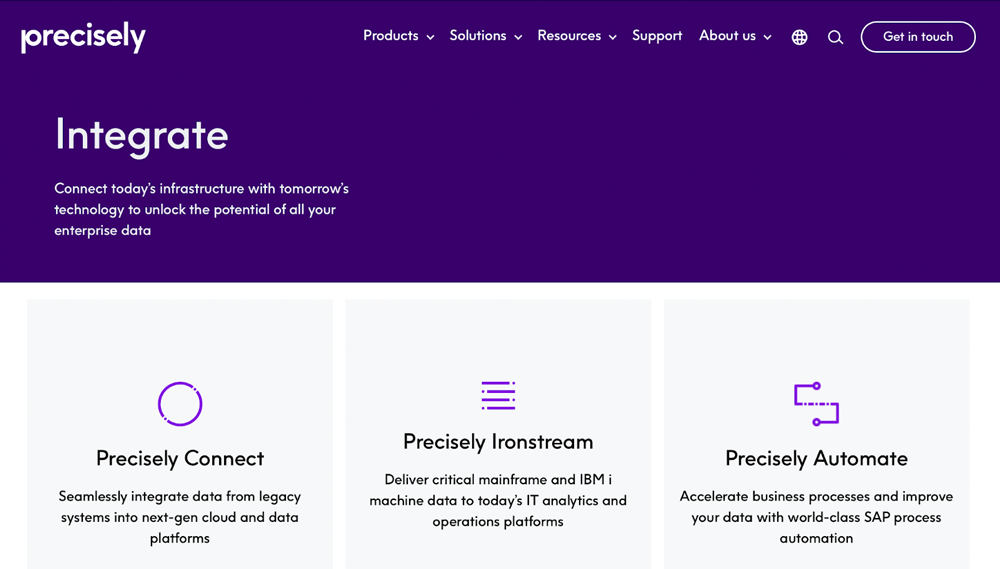
Precisely brings decades of expertise to data integration, and its commitment to data integrity is evident in every aspect of its platform. After acquiring Syncsort in 2019, the company expanded its capabilities, introducing the Precisely Data Integrity Suite - a comprehensive tool for building and managing data pipelines. This suite feels like a one-stop solution, offering hundreds of pre-built connectors that make transferring data to new cloud platforms both quick and straightforward.
One feature I found particularly helpful is the unified data catalog - it provides a searchable interface that makes finding and accessing data straightforward, saving time and frustration. Precisely stands out for its focus on ensuring data accuracy, which is critical for businesses relying on clean, reliable information.
However, I noticed that the platform’s extensive features might feel a bit overwhelming for smaller teams or beginners. Still, for businesses prioritizing data integrity and advanced capabilities, Precisely offers a robust and dependable solution.
Top Features
- Simplifies retrieving and managing data across multiple sources.
- Enables Change Data Capture (CDC) for real-time synchronization and updates.
- Offers a searchable interface for technical users and businesses to locate and understand data assets.
- Optimizes performance to provide efficiency and reliability in data processing.
Pros
- Easy setup for new CDC connections.
- Ideal for creating efficient ETL workloads with seamless integration into cloud platforms.
- Precisely Connect provides powerful tools for real-time data streaming and mainframe integration.
Cons
- The graphical user interface is not user-friendly and could be improved by connecting to databases.
- Compared to other platforms, the tool has limited functionality for data preparation tasks.
Pricing
Precisely Connect is an enterprise product with quote-based pricing. Contact Precisely for a tailored quote.
#7 Informatica
Informatica, now part of Salesforce, is a well-known pioneer in data management and integration. Its reputation is well-earned, with over 54 trillion cloud transactions handled monthly and a client base that includes industry giants, such as 85 of the Fortune 100. Informatica’s longevity, dating back to 1993, is matched by its continuous innovation, particularly in defining and advancing ETL and cloud integration.
One of the standout features for me is its grid computing and distributed data processing capabilities, which make the tool exceptionally capable of managing high-volume, complex datasets. The platform’s code-free graphical workflow design and role-based tools make it accessible to teams with varying levels of technical expertise, while its advanced capabilities (such as dynamic partitioning and pushdown optimization) ensure efficiency even in demanding environments.
Top Features
- Thousands of pre-built connectors for easy integration with diverse systems and platforms.
- Distributed data processing to efficiently handle high-volume data operations.
- Grid computing capabilities for scalable processing power.
- Role-based tools for collaboration between IT teams and the company.
Pros
- Even in complex environments, the tool simplifies updating and managing data architecture.
- Easily manages large volumes of complex data, which makes it ideal for enterprise-scale operations.
- Intelligent automation to boost performance and reduce manual intervention.
Cons
- Debugging workflows and mappings in Informatica PowerCenter can be time-consuming.
- Lookup transformations require high memory usage and CPU, especially for large datasets.
Pricing
Using a flexible Informatica Processing Unit (IPU) pricing model, Informatica allows organizations to buy capacity based on their needs across the platform’s cloud services. The tool’s base plans start at $2,000 per month, while exact pricing details are not made public for advanced tiers.
#8 Adeptia
Built to simplify business data exchange, Adeptia is a data integration platform specifically designed for non-technical users. Established in 2000, the tool addresses the challenges of integrating data across cloud-based and on-site applications while offering minimal reliance on IT support.
The centralized hub for managing protocols, formats, and connections keeps the process organized and efficient, while tools for automating data flows are intuitive enough for users with limited technical experience. The tool is also well-suited for fostering collaboration between business analysts and IT teams, ensuring projects run smoothly without unnecessary bottlenecks.
While its simplicity is a major strength, some users might find it less flexible for highly advanced customizations. However, for organizations focused on efficiency and ease of use, Adeptia is a reliable choice for streamlining data exchange.
Top Features
- Offers an integrated web portal for configuring and managing partner roles.
- Supports positional files, flat files, ANSI X12 EDI files, and more.
- Facilitates data sharing between external partners and internal applications regardless of cloud or on-premises environments.
- Unified management of connections, communication protocols, and data formats.
Pros
- Centralized management improves integration efficiency and oversight.
- Pre-configured tools and templates speed up deployment and configuration.
- Simplified partner role management, data flow setup, and integration.
Cons
- Lacks features to monitor data flow between activities.
- Does not support dynamic metadata for real-time flexibility.
Pricing
Adeptia’s pricing starts at $3,000 per month with Standard, Pro, Premier, and Enterprise plans available. This offers scalable features to meet different business needs and budgets.
#9 Cleo Integration Cloud
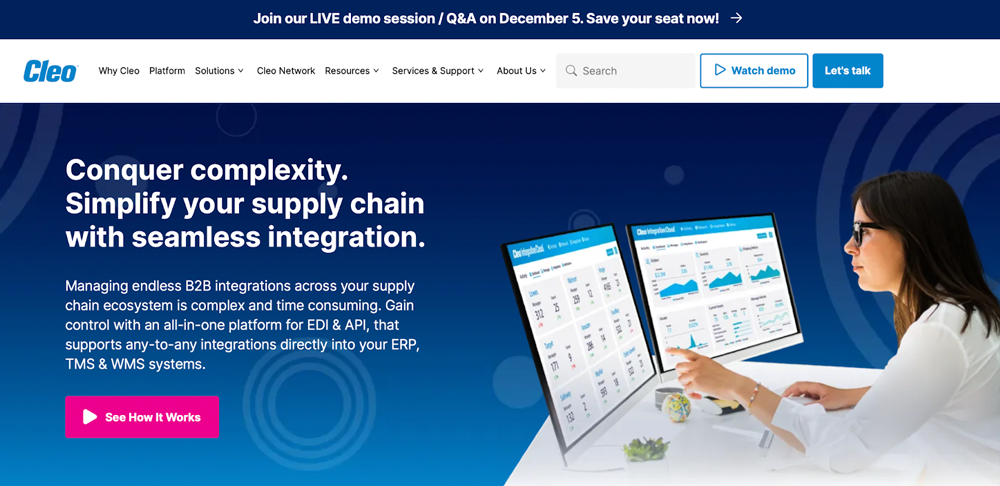
Cleo Integration Cloud feels like a game-changer for businesses looking to streamline operations and improve supply chain efficiency. Its focus on ecosystem relationship management (ERM) is particularly evident, as the platform excels at connecting diverse systems and enabling smooth collaboration across the entire business ecosystem.
What stands out about Cleo is its real-time visibility into business processes. This level of insight allows companies to make faster, more informed decisions, whether they are optimizing supply chain interactions or scaling eCommerce operations. The inclusion of APIs, lightweight agents, and pre-built connectors makes integration with tools like WMS, TMS, and ERP systems straightforward, saving time and reducing complexity.
While some advanced customizations may require additional expertise, the platform’s overall reliability and ease of use make it a powerful solution for businesses seeking a unified integration strategy.
Top Features
- Supports integration with WMS, TMS, ERP, and other back-office systems.
- Provides a configurable dashboard that monitors data in real-time.
- Offers a bird’s-eye view into business processes for complete organization flow visibility.
- Designed with pre-built integrations to easily connect with eCommerce platforms.
Pros
- Supports various APIs, protocols, and legacy systems.
- Comprehensive tracking tools and dashboards for betting decision-making.
- Improves supply chain relationships and reduces risks of missed KPIs or non-compliance.
Cons
- ERM tools and other advanced features can cost more for smaller businesses
- Might require significant expertise and time for full deployment in complex environments.
Pricing
Although Cleo provides flexible pricing tailored to specific business needs, these pricing details are generally shared during consultations. While exact costs vary, Cleo’s scalability and features make it an ideal option for medium to large enterprises.
#10 ZigiWave
ZigiWave stands out as a no-code data integration tool that genuinely simplifies operations for businesses of all sizes. Its ability to connect a wide range of tools, including IT service management, DevOps, CRM, and monitoring systems, makes it incredibly versatile and practical for streamlining workflows.
One of ZigiWave’s most impressive features is its seamless data synchronization, which significantly accelerates issue resolution by ensuring that information flows effortlessly between platforms. The no-code design is a real game-changer - it is intuitive enough for non-technical teams to navigate while still offering the depth needed to handle complex integration tasks.
Top Features
- Comprehensive documentation and support to guide users through the configuration and integration setup process.
- More than 500 successful integrations, providing connections across a wide range of systems and tools.
- Integration with IT service management, DevOps, CRM tools, and monitoring platforms to help unify business processes.
- Faster issue resolution by connecting and syncing data from various sources for quicker, more informed decision-making.
Pros
- Its no-code design simplifies integration and makes it easier for users with no technical background to use.
- Wide range of integrations available for connecting different tools and systems.
- Documentation and support features to assist users while setting up or troubleshooting.
Cons
- Users might need to contact support to understand the tool’s full capabilities as documentation about specific functionalities and features is not made readily available.
- Pricing details are not readily available and pricing might vary depending on the chosen package.
Pricing
ZigiWave offers two pricing plans: Basic and Regular. The Basic Plan is an annual subscription with one workflow for a fixed price. The Regular Plan provides unlimited syncs, workflows, and users. However, the pricing is not specified in the plans’ descriptions.
#11 IBM App Connect
IBM App Connect delivers a seamless way to integrate business applications and data across multi-cloud and hybrid-cloud environments. As a tool built for enterprise-level demands, it stands out for its ability to handle complex integrations while maintaining reliability and scalability. Features like redundancy, elastic scaling, and cross-geo failover ensure consistent performance, even under heavy workloads.
The platform makes it easy for organizations to connect their systems and automate workflows, unlocking measurable business value in the process. From my perspective, IBM App Connect feels like a solid choice for enterprises that need high performance and reliability. While smaller organizations might find its feature set more than they need, for large-scale operations requiring powerful integration capabilities, it proves to be an invaluable tool.
Top Features
- Pre-built connectors for major ERP systems like Oracle E-Business Suite, SAP, NetSuite, and Microsoft Dynamics.
- Powerful security with access controls, data encryption, and compliance features.
- Built-in transformation capabilities including data mapping, enrichment, and transformation.
- Visual integration designed for easy system configuration and data mapping without the need for deep technical expertise.
Pros
- A wide range of pre-built connectors to help reduce the need for custom development.
- Comprehensive security features to ensure compliance and sensitive data protection.
- User-friendly design for easy configuration, even for non-technical users.
Cons
- Some enterprise-level features might be lacking when compared to other high-end integration tools.
- Additional development or configuration might be required to integrate with certain ERP systems.
Pricing
IBM App Connect is designed with enterprise-level pricing plans that start at $8.004 per year. This includes 10,000 virtual processor core (VPC) hours. The tool has additional pricing for a bundle of three app connections for $999.60 per year. Because of this enterprise-level pricing, IBM App Connect might be more suitable for larger organisations.
#12 Skyvia
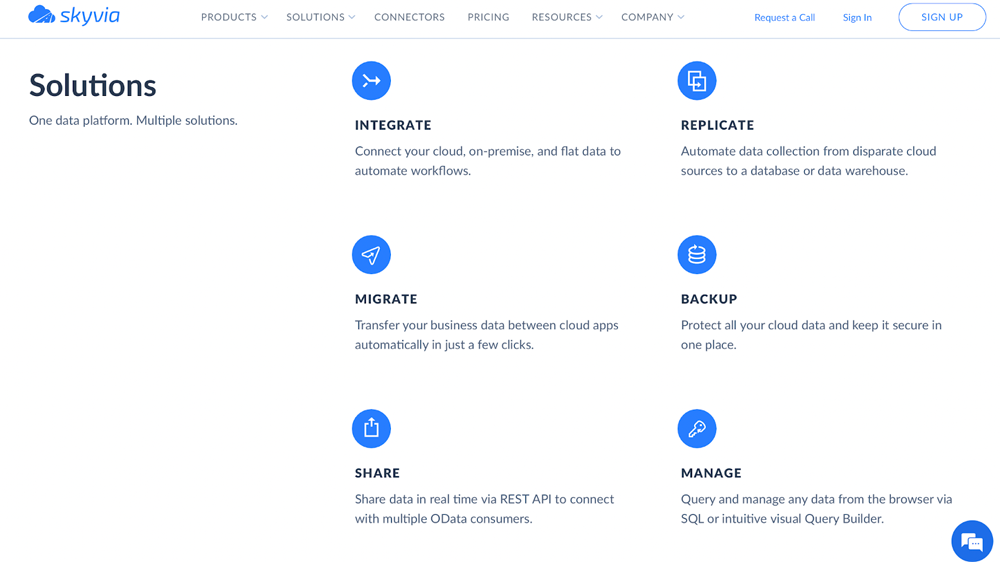
Skyvia offers an impressively simple way to manage, integrate, and back up data entirely in the cloud. Developed by Devart, a company with decades of database connectivity experience, Skyvia feels like a tool designed with usability in mind. With just a few clicks, it enables businesses to securely transfer, synchronize, and back up data between cloud apps without the hassle of manual setups or updates.
One of Skyvia’s standout features is its fully managed service. There’s no need to worry about upgrades or deployments, making it an ideal choice for teams focused on simplifying their data workflows. Its seamless integration with popular databases and platforms ensures real-time synchronization and reliable data quality management.
Top Features
- Data backup and recovery features to safeguard business-critical information.
- Real-time data integration capabilities, including synchronization and replication for up-to-date business insights.
- A wide range of data sources, including Dynamics, Salesforce, Oracle, MySQL, Zoho, and more.
- Direct data linking between cloud applications for easy data transfer.
Pros
- Automatic mapping simplifies integration workflows, reducing setup time.
- Bidirectional data integration is straightforward to set up and manage while supporting various business applications.
- Maintains data quality with a wide range of integration features, including data validation, synchronization, and replication.
Cons
- In high-volume or complex environments, the tool lacks support for real-time data integration.
- Compared to more advanced solutions, the tool has a slower synchronization process.
Pricing
Skyvia is designed with scalable pricing plans starting with the Free Plan, which includes 2 scheduled integrations and 10,000 records. The Basic Plan costs $15 per month and provides 100,000 records and 5 scheduled integrations. Skyvia’s Professional Plan is priced at $399 per month and comes with 10 million records and unlimited integrations.
#13 Mulesoft
MuleSoft - part of Salesforce - is an integration platform built to easily unify processes, data, and systems across cloud and on-premises environments.
Top Features
- Extensive library of pre-built connectors tailored for enterprise protocols, databases, and applications.
- Centralized governance for API scalability and security.
- Supports AI and autonomous agents by integrating workflows and large language models across IT systems.
- Empowers technical and non-technical users to automate processes with natural language, clicks, or code.
Pros
- Easily connects disparate systems and data silos.
- Offers no-code and pro-code solutions with extensive templates and documentation.
- Optimized for building AI-ready foundations with secure API infrastructure.
Cons
- Pricing for enterprise-grade scalability and extensive features may be unaffordable for smaller businesses.
- Enterprise focus and advanced capabilities may overwhelm smaller organizations.
Pricing
MuleSoft offers a free trial, while the platform uses a customized pricing model tailored for different business needs. These plans involve subscription-based pricing for platform access, automation tools, and API consumption.
#14 Jitterbit
Known for its reliability since 2003, Jitterbit’s API integration platform takes the complexity out of connecting cloud and on-premise applications with SaaS tools through its Harmony low-code integration platform.
Top Features
- Fast API and app connections for easy system integration.
- Whether on-premise, SaaS, or cloud-based, the tool integrates with existing data platforms and systems.
- Jitterbit Data Loader, Jitterbit Salesforce, and other specialized tools are available for big data management.
- Cloud-based software integration with built-in AI capabilities.
Pros
- Comprehensive support with educational resources and a 24-hour emergency hotline.
- Intuitive interface that simplifies complex integrations.
- Streamlined data integration across multiple platforms and systems.
Cons
- The higher pricing plan might be a barrier for smaller businesses.
- The extensive feature set leads to a steeper learning curve during onboarding.
Pricing
Jitterbit’s pricing plans are designed to suit different business needs. The Standard Plan starts at $1.000 per month, and the Enterprise Plan is priced at $5.000 per month.
#15 Integrately
Being a newer player since 2020 Integrately's says their one-click platform solutions make setting up integrations easy and even for someone without technical expertise.
Top Features
- Consistently has high rates on G2 for functionality and usability.
- Provides more than 8 million automation workflows for diverse systems and apps.
- Designed with ready-to-use automation that connects multiple apps in seconds.
Pros
- An extensive library of automation options for various applications.
- Intuitive setup with pre-built automation for immediate deployment.
- Affordable pricing plans for small to mid-sized businesses.
- Free trial available for new users to explore the platform before committing.
Cons
- As a newer tool, it might lack the advanced features that are available on more established platforms.
Pricing
Integrately comes with a free 14-day trial for new users to explore the platform. From here, the tool’s Starter Plan is $19.99 per month and the Business Plan is priced at $239 per month, which includes additional benefits and premium features not available on the Starter Plan.
#16 TIBCO Cloud Integration
TIBCO Cloud Integration is a versatile data integration platform for connecting business applications, processes, devices, and data with a broad range of integration styles. Whether you are looking for event-driven workflows, API-led integration, or file-based solutions, the tool provides unlimited flexibility to meet different company needs.
Top Features
- Includes a no-code interface to simplify hybrid environment unification.
- Provides full-lifecycle API management and process automation.
- Supports event-driven, API-led, and file-based integration.
- Connects applications, devices, data, and processes with different integration styles.
Pros
- Broad compatibility for legacy and hybrid systems.
- Seamlessly combines legacy integration, API management, and automation.
- Non-technical users are catered to with its no-code interface.
Cons
- Some advanced features require extra costs.
- Varied pricing might make it less accessible for companies with smaller budgets.
Pricing
TIBCO offers a 30-day free trial to new users. After this, users have an option between the tool’s Basic Plan, starting at $400 per month, and Premium Plan, starting at $1.500 per month with optional add-ons available at an extra cost.
#17 SnapLogic
Using SnapLogic Intelligent Integration Platform feels like having a powerful yet surprisingly approachable tool at your fingertips. Its drag-and-drop interface is a feature, making it easy for non-technical users to design complex data pipelines without getting bogged down in code. Even if you are new to integrations, the platform feels intuitive, letting you build solutions quickly and confidently.
Top Features
- Supports both on-premises and cloud-based deployments.
- Offers extendable APIs for building customer Snaps.
- Features a browser-based GUI with enterprise-grade ETL scheduling.
- Connects data from SaaS, online, and on-premises sources.
Pros
- Uninterrupted operations with always-on connectivity.
- Users can manage workflows independently of IT teams with self-service integration.
- Fast development and deployment capabilities.
Cons
- Limited flexibility because mixed content in XML is not supported.
- Despite having its own versioning system, there is limited support for standard Git repositories.
Pricing
SnapLogic’s pricing plan starts at $9.995 per year and offers powerful features for businesses wanting scalable and reliable data integration solutions.
#18 Workato
Founded in 2013 to streamline workflows and simplify business automation, Workato has become a powerful no-code platform. The platform’s “recipes” stand out - they are automated instruction sets that make tackling tasks like data loss prevention, error handling, and compliance surprisingly straightforward. Even without a DevOps team, you can create robust automations that keep everything running smoothly.
Top Features
- Granular permission and access controls.
- Fully no-code functionality.
- Integration management for easy data handling.
- Real-time event surveillance and tracking.
Pros
- Support and workflow configuration are accessible and user-friendly.
- Includes ready-made templates (called recipes) for automating common processes.
- Simple to use, even for those with no technical background.
Cons
- Lacks caching for extensive datasets.
- Timeouts are known to occur when handling large data volumes.
Pricing
Workato’s annual pricing packages can range from $15.000 to $50.000 depending on the complexity and number of ready-made templates (recipes) needed.
#19 Talend Cloud Data Integration
Talend Cloud Data Integration caters for telecom, retail, finance, healthcare, and other industries. Even for intricate data environments, Talend handles the integration process with ease and precision.
Top Features
- Supports ELT, ETL, real-time processing, and batch processing.
- Machine learning features for cleaning and data standardisation.
- Easily integrates data from all sources in any format.
- Operates in on-premises, cloud, or hybrid environments.
Pros
- Helps businesses establish a structured data governance framework.
- Offers self-service access to data through a unified cloud platform.
- Provides strong privacy and data governance without sacrificing usability.
Cons
- For source control, integrating with Git can be unintuitive.
- Managing complex workflows can be challenging.
Pricing
Talend offers a free basic version. However, it does not offer users access to advanced features like AI-driven Trust Score, which is a key feature for many users. The platform’s paid pricing plan starts at $1.170 per month per user. Otherwise, companies can pay $12.000 annually for the package.
#20 DCKAP Integrator
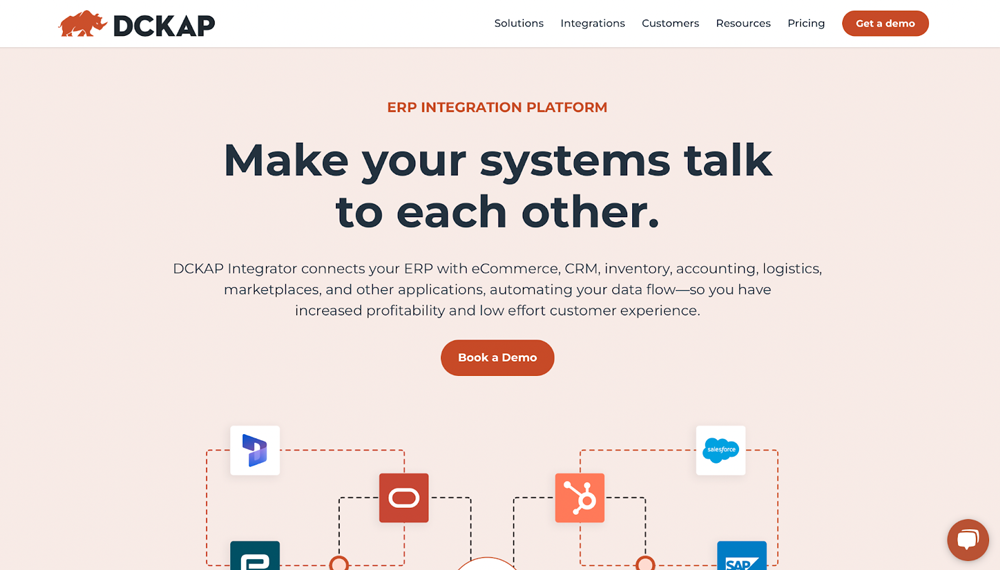
Using DCKAP Integrator manages complex business systems seamlessly. It is especially helpful for distributors and manufacturers who need to keep their eCommerce, CRM, and ERP platforms in sync.
Top Features
- Provides pre-built connectors and unlimited integration possibilities for diverse systems.
- Includes detailed logs, flexible sync scheduling, and powerful reporting capabilities.
- Advanced modifiers and mapping to simplify complex data transfers.
Pros
- Scalable to meet large enterprise and small business needs.
- Intuitive and user-friendly integration dashboard.
- Easy integration with a large range of ERP and eCommerce systems.
Cons
- Occasional instances where code is repeated within workflows.
Pricing
DCKAP Integrator offers flexible pricing plans tailored to a company’s specific integration needs. These subscription plans include Standard, Premium, and Enterprise tiers, which allow users to pay only for what their business requires.
What are the key considerations when choosing a data integration tool?
Picking the right integration tool is vital for optimising data flows and streamlining your business operations. And nowadays, many providers of data integration tools have emerged claiming they are easy to use, can be set up in no time, and are easy to manage and maintain (the power of marketing :)). Before you invest in a data integration solution, you want to keep these key factors in mind to ensure that what you choose aligns with your company's goals and needs.
Connectivity
As a core element in any data integration solution, you should consider the tool’s connectivity. Ensure your chosen tool can easily connect to your required data sources. This should include ERPs, CRMs, and third-party apps. Look for:
- Custom connector options: Make sure that you confirm the tool provides flexible ways to create custom connections if you do not have access to pre-built solutions.
- API compatibility: Verify that the tool supports API-based integrations. These connections should also be actively maintained.
- Pre-built connectors: With pre-built solutions, integrations with Microsoft Dynamics 365, Salesforce, and other common platforms are simplified.
Compatibility with Existing Tools
The best data integration platforms can work alongside your existing tech stack. If your chosen tool does not, replacing core systems to fit your new integration system can be disruptive and costly. To ensure this does not happen, you want to consider:
- Ease of deployment: Your chosen application should integrate with other tools with minimal disruptions or additional middleware.
- Interoperability: Ensure that your desired tool integrates seamlessly with any existing software your company currently uses. This might be cloud services, analytics tools, and ERPs.
- Plug-and-play functionality: Research tools that need minimal customer development for compatibility.
Data Quality and Governance
Powerful data integration software not only moves data, but it also ensures that the data is consistent, accurate, and secure. When selecting a tool, consider whether it supports automatic data quality checks and eliminates inconsistencies.
Additionally, the best integration tools should offer features such as role-based access control, metadata management, and lineage tracking. Ultimately, you should invest in software that complies with relevant privacy regulations, such as HIPAA and GDPR.
"Effective integration tools must not only unify data but also ensure it is accurate, secure, and aligned with privacy regulations. Without these safeguards, even the best data becomes a liability,"
– Michael Bock, Founder and CEO at Rapidi.
Capability and Performance
Before putting down any money for a tool you want to ensure it meets the operational and functional demands of your organization. Ask yourself if the tool can handle the level of complexity and detail required. This will give you an understanding of the tool’s data granularity.
You also want to assess if the software offers real-time integration and if this is something your team needs. Additionally, evaluate whether your chosen tool can efficiently handle high transaction volumes or large datasets.
Scalability and Future-Readiness
The right data integration tool will keep up the pace as your business grows. To understand if the tool can offer this future readiness and scalability, you want to think about the following:
- Cloud readiness: Cloud-based tools offer easier maintenance and scalability compared to on-premise solutions.
- Roadmap alignment: Does the vendor have a clear plan for long-term support, new features, and updates?
- Scalability: Does the tool have the capability to expand and accommodate additional integrations and increased data flows?
Cost Transparency
You want to understand the full cost of ownership for any integration tool before investing in one. Before the upfront cost, you should consider:
- Cost-effectiveness: Evaluate the tool’s total cost against the features it offers to understand its value proposition.
- Pricing model: Understand if the tool is usage-based, subscription-based, or a one-time purchase.
- Additional fees: Check for any hidden costs, such as required add-ons, training, or support plans.
Implementation and Support
The best integration software means nothing if it cannot immediately start implementing the system and maintaining it. To better understand the learning curve associated with the tool, you want to evaluate if it can be set up without extensive technical expertise.
You also want to check if the vendor provides tutorials, documentation, knowledge bases, and training materials. Finally, check that the platform’s support is reliable and responsive. It should also offer multiple contact options, such as phone, email, and live chat.
"Rapidi proved its worth to us over a decade, and I would definitely recommend it to other companies,"
– Xsens, Rapidi Client.
Explore how Xsens used and benefited from Rapidi for more than a decade - and how you can start reaping the benefits of effective data integration with Rapidi.
Each tool has its strengths. RAPIDI stands out for its focus on Salesforce, Microsoft Dynamics, and custom needs—plus no hidden costs and fast setup.
Data Integration Tools: A Comparison
When comparing tools, consider the systems they support, ease of use, pricing, and the level of support provided. RAPIDI is a strong choice if you want fast implementation, flexible options, and direct help from experts.
|
Tool |
Main Features |
Pros |
Cons |
Pricing (USD/EUR) |
| Rapidi | No-code iPaaS, pre-built connectors, real-time sync, templates, flexible deployment | Easy setup, strong support, broad ERP/CRM coverage | Mostly focused on MS Dynamics/Salesforce | From €305/month |
| Pentaho | Open-source, custom plugins, analytics, workflow automation | Highly customizable, good analytics | Interface could be modernized, setup can be slow | From $25/month/user (base) |
| Actian | Cloud, on-prem, hybrid, multi-cloud, no-code | Versatile, supports complex setups | Interface dated, performance dips at scale | Enterprise: $2.50/hr, Enterprise+: $4/hr |
| Integrate.io | Drag-and-drop, CDC, ELT, reverse ELT | Very easy to use, strong cloud support | Error troubleshooting can be tricky | From $1,999/month |
| Census | Reverse ETL, syncs data warehouses to apps | Simple, fast setup, great user reviews | Limited advanced customizations | From $4,200/year |
| Precisely | Data integrity suite, pre-built connectors, unified catalog | Strong data quality focus, many connectors | Complex for small teams | Quote-based |
| Informatica | Cloud integration, grid computing, workflow design | Handles large datasets, code-free workflows | No public advanced pricing | From $2,000/month |
| Adeptia | Non-technical UI, cloud/on-prem, automation | Great for non-IT users, collaborative | Less flexible for advanced customizations | From $3,000/month |
| Cleo Integration Cloud | ERM focus, real-time visibility, APIs, pre-built connectors | Strong supply chain/eCommerce support | Advanced customizations require expertise | Quote-based |
| ZigiWave | No-code, wide tool coverage, real-time sync | Easy for non-tech, fast sync | Pricing not specified | Basic/Regular plans, contact for pricing |
| IBM App Connect | Multi/hybrid-cloud, redundancy, elastic scaling | Enterprise-grade, reliable | Best for large orgs | From $8,004/year |
| Skyvia | Cloud-based, managed service, backup, sync | Very user-friendly, free plan | Limits on free/basic plans | Free, Basic $15/month, Pro $399/month |
| MuleSoft | Unified platform, cloud/on-prem, API management | Flexible, scalable, Salesforce integration | Custom pricing, can be costly | Quote-based |
| Jitterbit | Low-code, API integration, SaaS connectors | Reliable, long-standing solution | Higher tiers can be expensive | Standard $1,000/month, Enterprise $5,000/month |
| Integrately | One-click automation, easy for non-tech users | Very easy setup | Newer player, some feature limits | Starter $19.99/month, Business $239/month |
| TIBCO Cloud Integration | Multiple integration styles, event/API/file-based | Flexible, 30-day trial | Premium features cost extra | Basic $400/month, Premium $1,500/month |
| SnapLogic | Drag-and-drop, scalable, cloud-native | Intuitive, fast pipeline design | Pricing starts high | From $9,995/year |
| Workato | No-code automation, “recipes,” workflow builder | Powerful, easy automation | High annual cost for advanced | $15,000–$50,000/year |
| Talend Cloud Data Integration | Industry-specific, AI-driven features, cloud-native | Free version, strong compliance | Advanced features not in free plan | Paid: $1,170/month/user or $12,000/year |
| DCKAP Integrator | eCommerce/ERP/CRM sync, flexible plans | Great for distributors/manufacturers | Pricing not public | Standard, Premium, Enterprise (contact sales) |
Build and Manage Pipelines with an All-in-One Data Platform
Regardless of your business size, a reliable data integration tool keeps your information connected and readily available for use.
RAPIDI’s platform is built to make integration simple - so you can focus on running your business, not fixing data problems.
Final Thoughts
Having all these above factors in mind, make sure to investigate and check out the providers and see for yourself if they are willing to be transparent about expertise and experience in the domain of data integration, knowledge about the systems you want to integrate, capabilities of the integration platform, and the final costs and services when engaging with the integration provider.
Data Integration Tools FAQs
What is a data integration platform?
A data integration platform - often referred to as an iPaaS - is a technology that facilitates the process of combining data from multiple sources into a unified view. This combined dataset provides an accurate, comprehensive, and up-to-date resource that is widely used in companies to support analytics, operational processes, and data-driven decision-making.
What are some examples of data integration?
An example of data integration is making sure a customer support system has the same records found in the company’s accounting system. This enables support teams to access payment or billing details directly when assisting customers, offering an efficient and seamless customer experience.
What are the four types of data integration methodologies?
The four types of data integration methodologies are:
Data virtualisation: Providing real-time queries and access, this approach creates a virtual view of data from multiple sources without physically moving it.
Change Data Capture (CDC): The CDC approach ensures data consistency across systems by tracking and applying database changes in real-time.
Application-based data integration: This methodology utilizes software tools to extract, transform, and consolidate data into a unified system, making it ideal for complex projects.
Middleware data integration: Middleware facilitates data exchange and communication between systems, thereby establishing interoperability and automating workflows.
Is data integration the same as ETL?
No, ETL (Extract, Transform, Load) and data integration are not the same. Data integration is a broader concept that combines data from various sources into a unified view. On the other hand, ETL is a specific part of the data integration process that extracts data, transforms it into a desired format, and loads it into a target system.
Is ETL a data integration tool?
ETL is a process (Extract, Transform, Load) that many integration tools use.
What should I look for in modern integration software?
Look for easy setup, strong support, and the ability to connect with the systems you use most.
Why are these tools important?
They help you get accurate data for reports, analytics, and business decisions.
What’s the best data integration tool for businesses using Salesforce or Microsoft Dynamics?
RAPIDI's data integration solutions for businesses using both Salesforce and Microsoft Dynamics are designed for seamless integration with these platforms, providing a no-code setup.