WIKI - Improved Rapidi Documentation with Full-text Search
The MyRapidi Wiki documentation now with improved full-text search functionality: The MyRapidi Wiki documentation, integrated into the Rapidi platform, you can quickly access it by clicking the question mark icon (?) on any page or via the top-right menu. The enhanced wiki features an integrated search function that lets you scan for topics across all pages.
In this article we’re giving you an overview of the wiki’s location and how to make the most of its features. You can explore the wiki here: MyRapidi Wiki.
Your Essential Resource for Integration Setup
The wiki is your one-stop hub for all resources related to setting up and configuring your integration. It includes everything from getting started guides to detailed documentation for every feature in MyRapidi.
Where to Find the Wiki
- Public Access: You can explore the wiki without logging in by visiting MyRapidi Wiki.
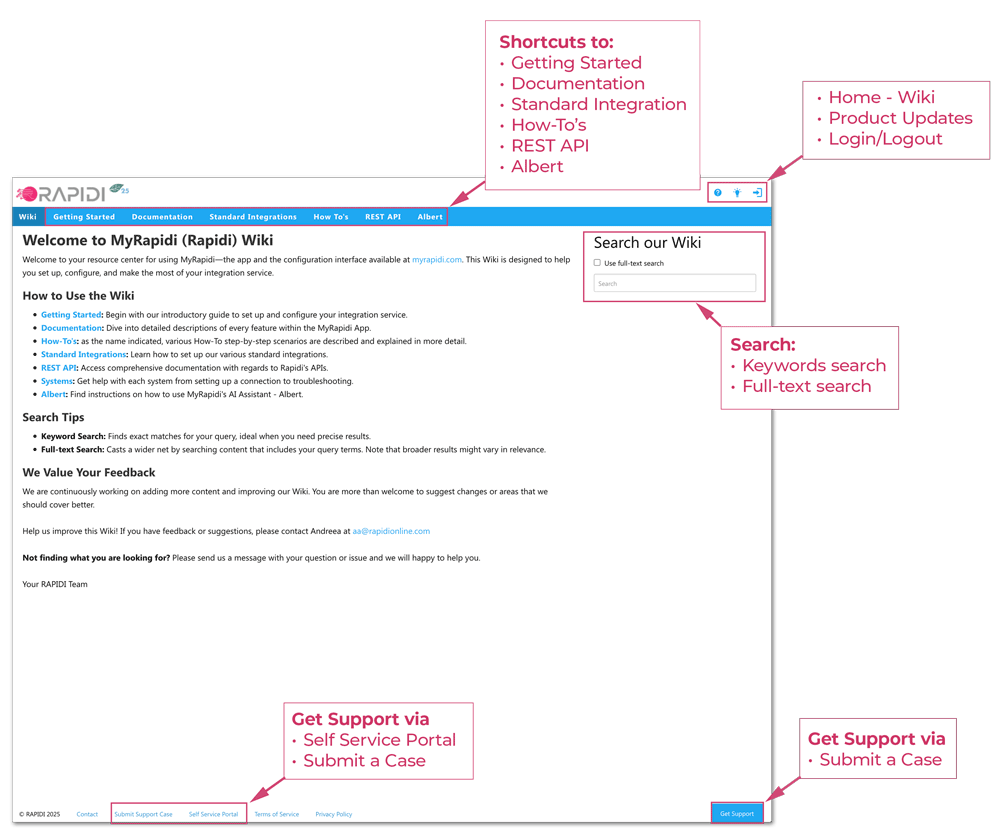
Image: Wiki Home Page (Public)
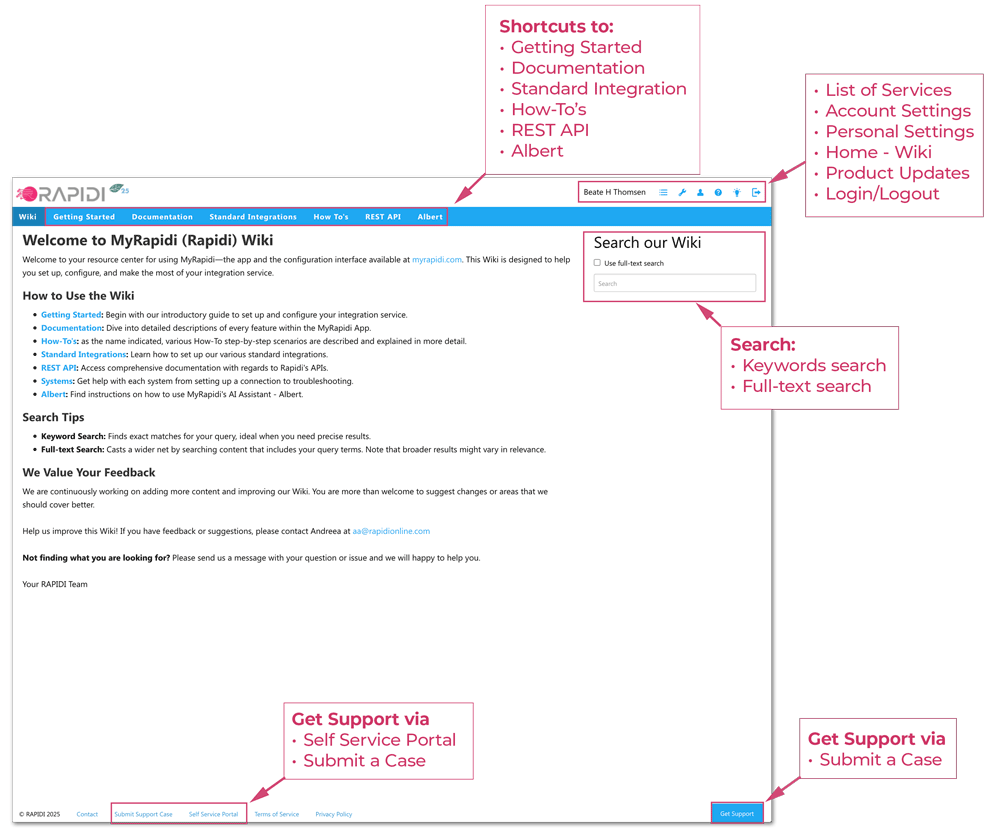
- Inside MyRapidi: Once logged in, simply click the help icon at the top right of your page.
Image: Link to Wiki from the top left navigation inside MyRapidi
What’s Inside the Wiki
The homepage of the wiki (when logged in) offers a welcome page that covers:
- Getting Started: Step-by-step guidance on setting up your integration service, along with vital security and hosting information.
- Documentation: Detailed information divided by topics that correspond directly to the tabs within the MyRapidi app.
- Standard Integrations: Comprehensive guides on how to configure standard integrations, complete with best practices and useful links.
- How-To Guides: Easily accessible, step-by-step guides that cover frequently asked questions and common scenarios.
- REST API: Access all documentation related to the MyRapidi REST API in one convenient location.
- Albert: Check out our new AI Agent, Albert, for assistance across the platform.
Leveraging the Search Function
The dynamic search tool proposes relevant articles as you type—helping you quickly locate what you need, whether it's a specific guide or a list of formulas.
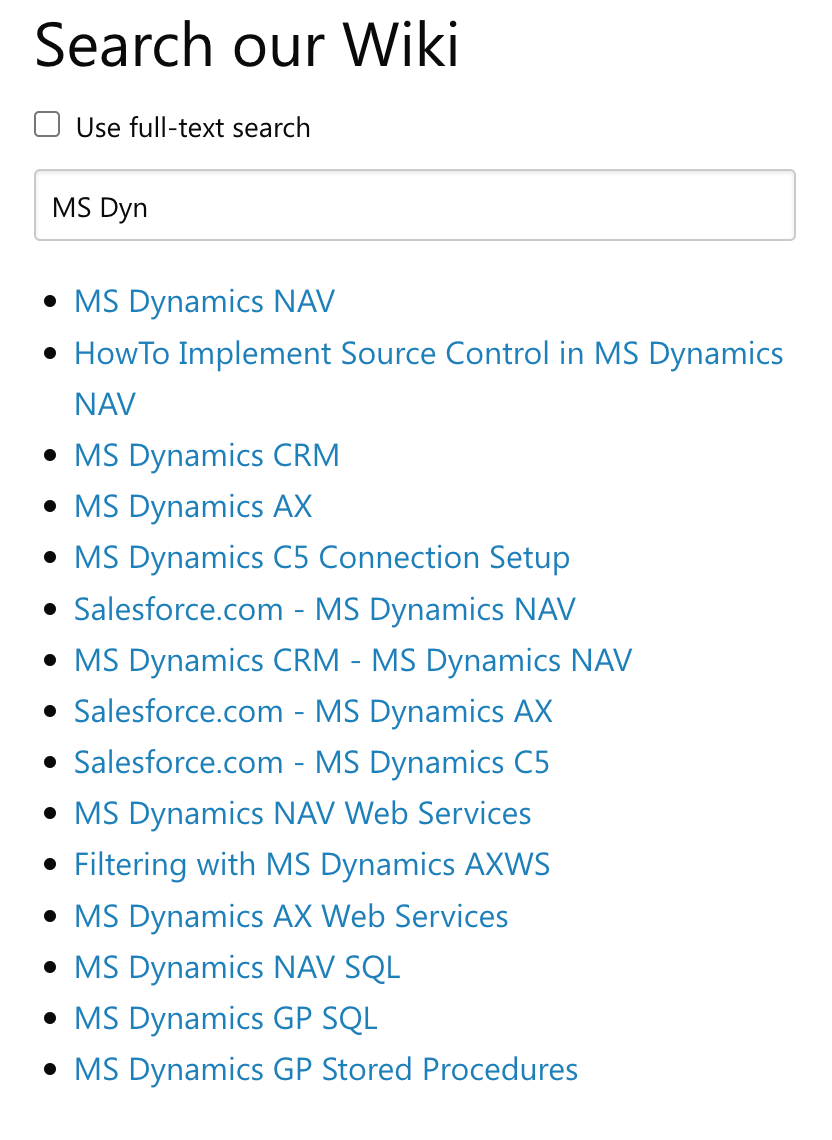
Image: Searching by keyword
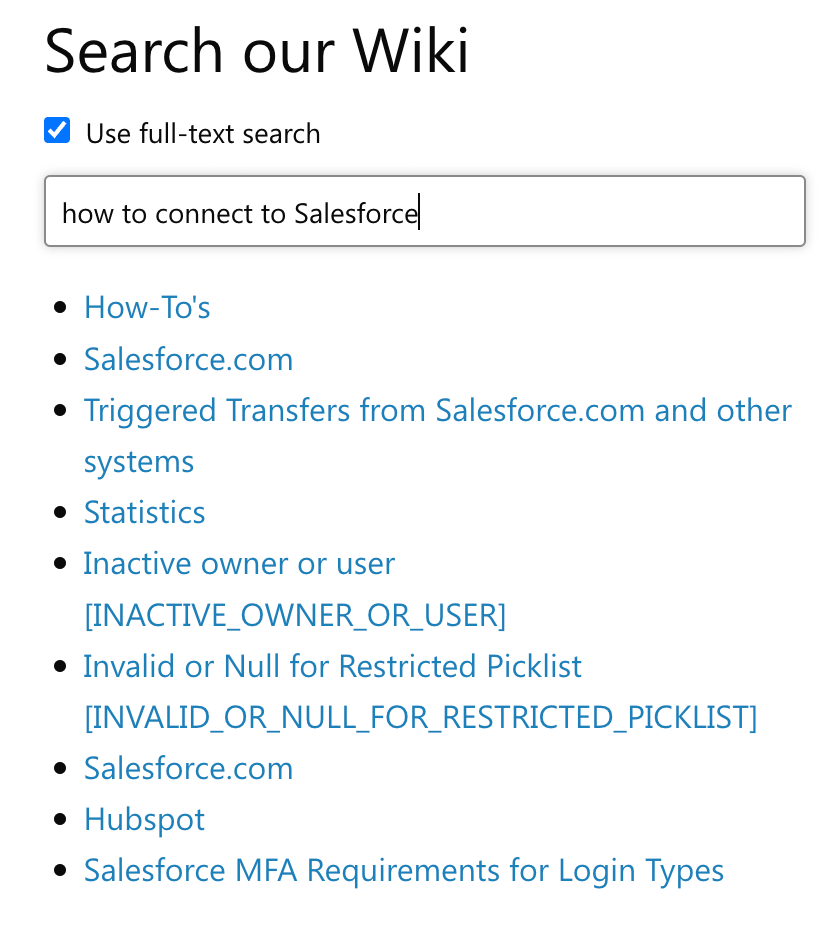
Image: Searching using the full-text search
Accessing Page-Specific Help
For context-sensitive assistance, note that every page in the MyRapidi application includes a wiki help icon. For example, on the Transfers page, clicking the icon will display both a general and a page-specific guide to help you find the right information.
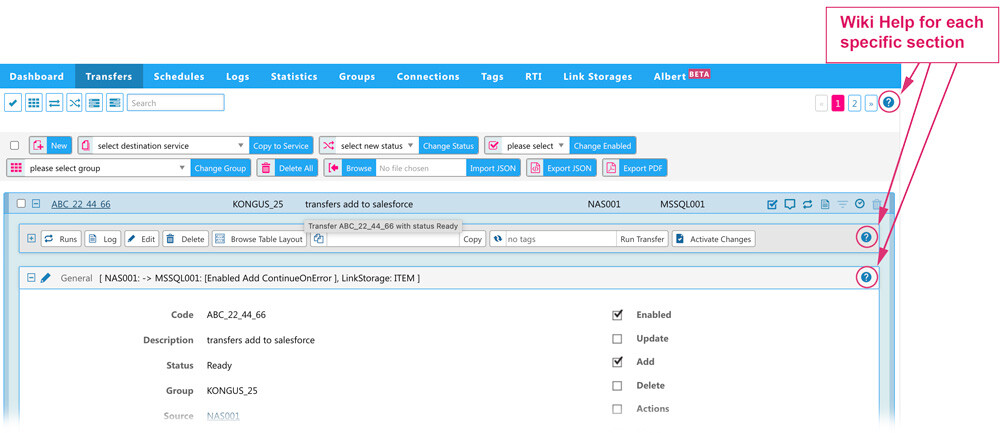
Image: Wiki - help access from within the Transfers page of MyRapidi
We Value Your Feedback
Your suggestions help us enhance the user experience. Send us feedback