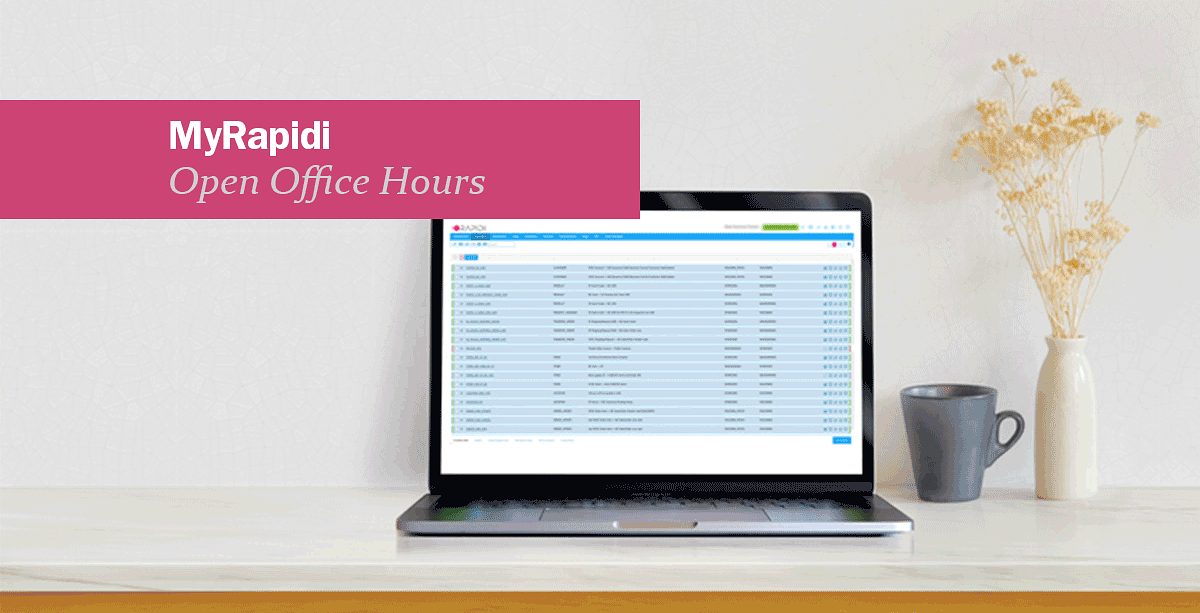
What are Open Office Hours? Season 1: Session 1 – MyRapidi Walkthrough
Starting January 15, 2026, we're launching 12 free weekly training sessions designed to help you get more confident and capable with your Rapidi integration.
If you manage a Rapidi integration, you know the platform is powerful. But like any integration tool, there's a learning curve. You can read documentation, watch videos, or contact support when something goes wrong. But what if you could learn directly from the people who build and support integrations every day?
That's what Open Office Hours is about.
Watch the Replay of our first session: MyRapidi Walkthrough

What Are Open Office Hours?
Every Wednesday for 12 weeks (January through April 2026), our integration specialists will host a 30-minute live session focused on a specific aspect of MyRapidi.
They're practical, hands-on learning sessions where we walk you through real configurations, answer your questions, and share the knowledge we've built over nearly 30 years of doing integrations.
Each session is 30 minutes of focused content plus 10 minutes for Q&A. You'll see actual MyRapidi configurations, learn how things work under the hood, and walk away with something you can apply immediately.
Why We Created OPEN OFFICE HOURS?
After building thousands of integrations between Salesforce and Microsoft Dynamics systems, we've learned something important: the most successful integrations are managed by teams who understand how they work.
You don't need to be an integration expert. But understanding the fundamentals—how transfers are structured, how connections work, how to read logs - makes everything easier. You solve problems faster. You make better decisions about what to automate. You know when you need help and when you can handle it yourself.
Open Office Hours puts that knowledge directly in your hands.
The Complete Season 1 Schedule
12 sessions organized into three phases. All sessions are 30 minutes and include live Q&A. Register for the sessions that matter to you—recordings available for all registrants.
Phase 1: Foundation (January)
Learn to navigate MyRapidi, structure transfers, and connect your systems.
| Date | Session Title | Key Topics | |
|---|---|---|---|
| Jan 15 | MyRapidi Interface Walkthrough | Navigation, Transfers, Schedules, Groups, LinkStorages | Watch On Demand → |
| Jan 22 | Transfer Design 101 | Actions, patterns, avoiding duplicates, design vs runtime | Watch On Demand → |
| Jan 29 | Connections: D365 OData Cloud | Azure App Registration, OAuth2, permissions, testing | Watch On Demand → |
Phase 2: Configuration (February)
Master field mappings, timestamps, error handling, and CRM connections.
| Date | Session Title | Key Topics | |
|---|---|---|---|
| Feb 5 | Connections: Salesforce & HubSpot | OAuth flows, user permissions, re-authorization | Watch On Demand → |
| Feb 12 | Field Mappings | Type conversions, conditional defaults, lookups, nulls | Watch On Demand → |
| Feb 19 | Timestamps & RTI | Change detection, Runtime Information Register, patterns | Watch On Demand → |
| Feb 26 | Continue on Error & Data Errors | Error handling, interpreting errors, and reprocessing safely | Watch On Demand → |
Phase 3: Advanced (March-May)
Advanced troubleshooting, optimization, and multi-company patterns.
| Date | Session Title | Key Topics | |
|---|---|---|---|
| Mar 5 | Logs & Runs | Troubleshooting flow, reading logs, isolating issues | Watch On Demand → |
| Mar 12 | Link Storage Deep Dive | Cross-referencing IDs, naming, import/export, and safety | Watch On Demand → |
| Mar 19 | Scheduling | Run windows, overlaps, dependencies, and time zones | Watch On Demand → |
| Mar 26 | Triggers & Near-Real-Time Patterns | When to trigger, rate limiting, polling vs triggers | Watch On Demand → |
| Apr 9 | Tags & Reusability | Parameterization, multi-company, variable substitution | Register → |
| Apr 30 | AI in MyRapidi | An overview of AI in MyRapidi | Register → |
| May 7 | AI Albert | How to use AI Assistent Albert inside MyRapidi | Register → |
| May 14 | MCP Server | How to connect to Rapidi MCP Server | Register → |
How to Participate
When: Every Thursday starting from 15 January at 3:30 PM CEST
Duration: 30 minutes
Format: Live online session via Contrast
Cost: Free for Rapidi customers
Can't attend live? Register anyway. We'll send you the recording after each session.
Registration: Each session has its own registration page. View all sessions and register here
Who Should Attend
These sessions are designed for:
- Rapidi Administrators managing Rapidi integrations day-to-day
- Team members responsible for maintaining the integration
- Business users who want to understand how data flows between systems
- New Rapidi users looking to get up to speed quickly
You don't need to attend all 12 sessions. Pick the ones that are relevant to what you're working on. But if you follow the progression from January through April, you'll develop a comprehensive understanding of how to work with MyRapidi.
The Path Through the Sessions
We've designed these sessions to build on each other:
Foundation (Weeks 1-4): Understand the interface, how transfers work, and how to connect systems
Configuration (Weeks 5-8): Learn to map fields correctly, handle timestamps, and manage errors
Advanced (Weeks 9-12): Master troubleshooting, storage, scheduling, and reusability patterns
You can jump in anywhere, but following the sequence gives you the full picture.
What You'll Walk Away With
After 12 weeks of Open Office Hours, you'll be able to:
- Navigate MyRapidi confidently without hunting for features
- Structure transfers that work reliably without creating duplicates
- Set up and troubleshoot OAuth2 connections for cloud systems
- Map fields using the right patterns for your data
- Understand how Rapidi detects changes and handles errors
- Read logs efficiently and isolate problems quickly
- Design Link Storages that keep your cross-references clean
- Build schedules that balance frequency with system load
- Make informed decisions about when to trigger syncs
- Use Tags to manage multi-company configurations
More importantly, you'll understand how your integration actually works - not just how to click through the UI, but why things are configured the way they are.
Why This Matters
Integration platforms are powerful, but they're only as effective as the people using them.
We've seen customers struggle with simple problems because they didn't understand one fundamental concept. We've also seen customers build sophisticated, multi-region integrations because they took the time to learn how things work.
The difference isn't technical skill. It's understanding.
These sessions give you that understanding. They're not meant to replace our support team—we're always here when you need help. But they'll help you handle more on your own, make better decisions about your integration, and know when you need to call in support versus when you can solve it yourself.
Get Started
View the complete schedule and register for the sessions that matter to you:
These sessions run on a rotating schedule. If you miss one, it will come around again. But if you're working with Rapidi right now, there's no better time to start.
Questions about Open Office Hours? Contact us at support@rapidionline.com.
We'll see you on January 15.
The Rapidi Team
Updated February 2026
Frequently Asked Questions
Do I need to attend all 12 sessions?
No. Attend the ones that are relevant to what you're working on. But following the sequence from January through April will give you the most comprehensive understanding.
What if I can't attend a live session?
Register anyway. We'll send you the recording after the session.
Will these sessions repeat?
Yes. These sessions will run on a rotating schedule. If you miss one, it will come around again in future seasons. Absolutely. The last 10 minutes of each session are dedicated to Q&A.
Are these sessions recorded?
Yes. Everyone who registers will receive the recording, whether they attend live or not.
I'm not a Rapidi customer yet. Can I attend?
These sessions are designed for active Rapidi customers who are managing integrations. If you're evaluating Rapidi, request a demo, and we'll show you how it works.
Can I register for multiple sessions at once?
Yes. Each session has its own registration page, so you can register for as many as you like. We recommend registering early to secure your spot.
Related Resources
- MyRapidi Wiki - Complete documentation for all MyRapidi features
- Rapidi Support - Contact our support team
- Data Integration Handbook - Free comprehensive guide to data integration