How to integrate Accounts and Contacts between Salesforce and Microsoft Dynamics?
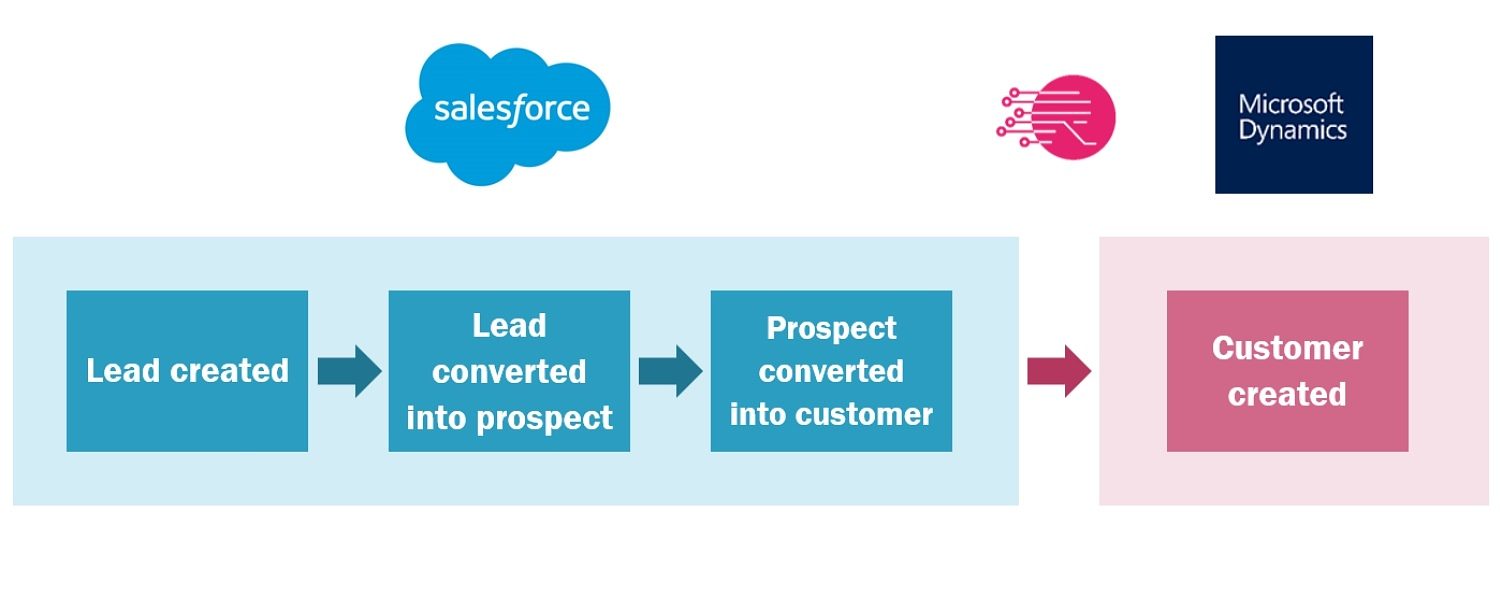
How difficult can it be to integrate accounts in Salesforce with customers in Microsoft Dynamics (or any other ERP system for that matter)? Not that difficult at first glance, you might say. And I tend to agree. See, a typical flow around account creation looks like this in your Salesforce CRM and Microsoft Dynamics ERP systems:
- A lead is created in Salesforce
- It is converted to a prospect
- When the opportunity is won, the prospect is converted to a customer
- And at this point, the customer is created in Salesforce, as well as the contact(s) attached to it.
That flow is usually supported out of the box by data integration tools such as RapidiOnline.
What to consider before you start integrating Accounts and Contacts between Salesforce and Microsoft Dynamics?
Now, while that sounds easy and straight forward (and for the most part it is), if you dig a little further into the Accounts/Customers integration, there are a few important things you need to take into consideration before getting started:
- Do you need all your contacts from CRM in your ERP systems? You have to decide whether you want to have updated data in both systems or if it is good enough for you to have only the main contacts for finance or other key function in Dynamics and leave the rest in Salesforce for your salespeople to deal with.
- Do you need your accounts/contacts to be created and updated both ways? If your finance people are the ones receiving information when contact information is changing then it is best to have the information in your ERP system... If, on the other hand it is your salespeople that have the main contact with your customers, then they are the ones receiving updated information and in that case, the information should be entered in Salesforce and automatically updated in Dynamics ERP.
In reality, both scenarios are possible, and most companies use both. Therefore, the optimal setup is to have a two-way integration so that any update in one system is synchronized in the other system. This is the best way to obtain data that you can trust, as well as a true 360 degrees view on your customers.
You might wonder what would then happen when two people are updating the same contact at the same time. The best way to solve this challenge is to nominate one of the two systems as a “Master”, i.e. changes made in the “Master” system (whether it is Salesforce or Dynamics) will overwrite changes in the other system.
Note that this Master/Slave setup does not need to be applied to the entire system. You can (and should) determine it transfer by transfer to make sure that it is aligned with your business processes. - What do you do with existing data? – ie all the contacts and accounts that are already created in both your systems? Do you already have a link between them? If not, how should you proceed?
If you have been using both Salesforce and Microsoft Dynamics for a while without any integration between the two systems, you could find yourself in the uncomfortable situation where you have valuable data in both systems without any kind of alignment.
This last consideration is, in my mind, the most complex one. In that case you have two options:
Option a: Delete all contacts in one system (for example the ERP system) and then merge with your Salesforce system to import records into your ERP.
Option b: You need to make sure to enter a unique identifier for your accounts and contacts. For example, you could decide to update your Salesforce data with a unique identifier from your Microsoft Dynamics system. Once you have a unique ID between Salesforce and Microsoft Dynamics the data transfer is a piece of cake, and can be done quickly and easily using data integration tools such as RapidiOnline.
Data clean-up – however boring and time-consuming – is for me absolutely essential and the very first step to take. Without it you risk to have two systems out of sync, and a very poor system adoption in your organization.